Mouse vs Keyboard Virtual Drums for Quick Rhythm Ideas
A browser drum kit feels simple at first glance. The sounds are visible, the page loads fast, and the first instinct is often to click whatever piece looks most familiar. A minute later, another user may ignore the mouse completely and start tapping keys instead.
Both approaches fit the site. The real question is which one gets a useful groove moving faster for the kind of session you want today. A first-time visitor who wants to explore the kit may need a different entry point than someone trying to repeat one beat until it feels steady.
That is why input choice matters. The browser drum kit supports both mouse and keyboard play, but the better option depends on whether the goal is orientation, repetition, or a quick sketch before the idea disappears.
Why input choice changes the first groove
Mouse input and keyboard input do not change the sounds on the page. They change how the body reaches those sounds. That difference affects timing, confidence, and how fast a player can repeat the same idea.
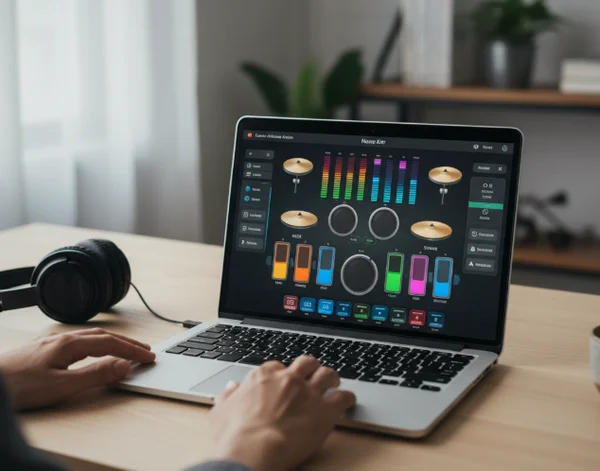
The mouse is visual and direct. It lets a new user connect the sound to the visible part of the kit without worrying about finger placement on a keyboard. That makes the first minute less abstract.
Keyboard input feels different. Once the user knows where the main sounds sit, keys make repetition easier because the hands no longer need to travel across the screen between every hit. That usually matters more when the goal is a short groove rather than free exploration.
When mouse clicks work better on a virtual drum kit.
Mouse clicks work best at the start of a session or when the player is still learning what each visible drum piece does. The screen itself becomes a map. Kick, snare, hi-hat, toms, and cymbals are all right there, so the user can match sound to location without extra translation.
This is especially helpful when the groove idea is still rough. Instead of worrying about accuracy, the player can ask a simpler question: which sound should land here? That is a better first step than forcing speed before the kit makes sense.
Use the mouse to learn the kit before chasing speed
Think of the mouse as a kit tour with sound. Click the kick, then the snare, then the hi-hat, and notice how each part changes the feel of the pattern.
Michigan State's ear-training text explains that a [4/4 measure has four quarter-note beats]. For a new player, that counting frame is enough. Count 1-2-3-4 while clicking one sound at a time and the browser kit becomes easier to understand.
Mouse input is also useful when you want to test placement without committing to repetition. Try one kick on beat 1. Then add the snare on the next strong spot and listen to how the pattern changes.
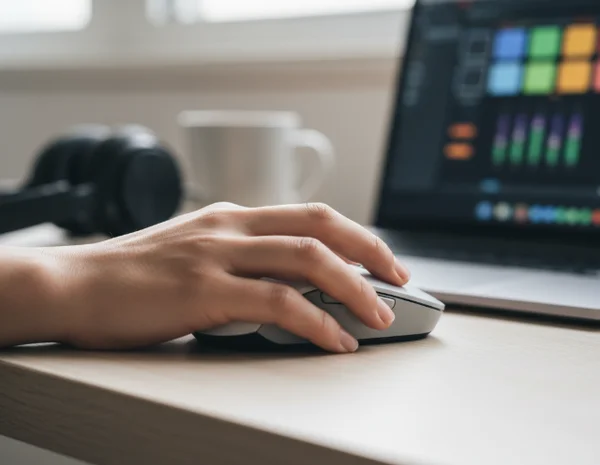
The limit appears when the same idea needs to happen again and again. Reaching across the screen for each hit can slow the groove down and break the sense of flow. That is the point where keyboard input becomes more attractive.
When keyboard input feels faster for repeating a beat
Keyboard input helps once the pattern is clear enough to repeat. Instead of moving the pointer to each piece, the player can stay focused on pulse and sequence.
That makes a big difference in simple groove work. Indiana University's drum-pattern guide notes that many popular-music beats in 4/4 place the kick on beats 1 and 3 and the snare on beats 2 and 4. The same guide points to a steady hi-hat pattern as the glue that holds the groove together.
Count eighth notes while the keyboard handles repetition
Once the backbeat shape is clear, keyboard input supports subdivision better than constant clicking. A player can keep the hi-hat pulse moving as 1-and-2-and-3-and-4-and while dropping kick and snare hits into the stronger beats.
That does not mean the keyboard is automatically better for every user. It means the keyboard becomes more useful when the goal shifts from discovery to consistency. If the groove already exists in your head, repeating it matters more than visually locating every drum piece.
This is where the online rhythm page starts to feel like a lightweight sketchpad instead of a demo. The hands can stay close to the same motion pattern, which reduces hesitation and makes short groove experiments easier to compare.
Keyboard input also makes it easier to notice small timing problems. When the same motion repeats, it becomes obvious whether the hi-hat pulse is stable or whether the snare keeps landing late.
How to switch between mouse and keyboard without losing time
The best answer is often not mouse or keyboard forever. It is mouse first for orientation, then keyboard for the part of the session that needs repetition.
That hybrid approach fits the site well because the tool is built for fast, low-friction use. A player can open the virtual drum workspace, click around for thirty seconds, find a simple beat idea, and then switch to keys before the groove disappears.
Build one short groove, then choose the steadier input
Keep the test small. Start with one bar, not a whole song section. In many beginner grooves, one clear pattern is enough to make the decision.
Berklee's groove guidance recommends that players [practice slowly and repeat the beat] before adding more detail. That principle fits virtual drums perfectly. If the beat falls apart at a slow speed, the problem is not the input method alone. The groove itself still needs a clearer shape.
A simple test works well here. Build one short 4/4 pattern with the mouse. Then play the same pattern with the keyboard. If the mouse version helps you hear better choices, keep using it a little longer. If the keyboard version makes the pulse steadier after two or three passes, switch and stay there.
The key is to judge the input by what it improves. Mouse input improves orientation. Keyboard input improves repetition. Once you know which one solves the current problem, the session moves faster.
Key Takeaways: Choose the input that keeps the groove moving
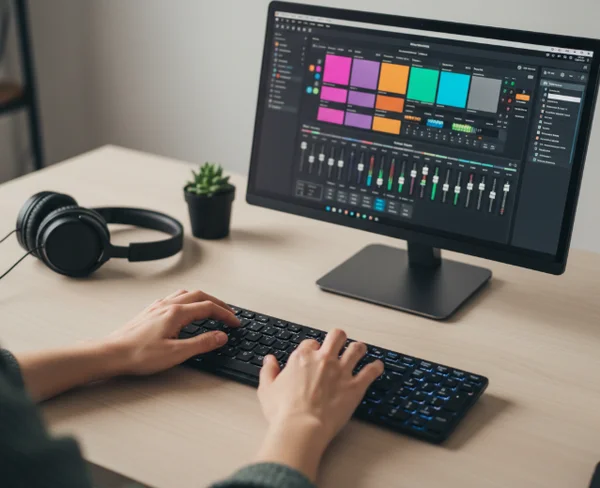
There is no fixed winner because the inputs solve different problems. Mouse clicks make the kit readable. Keyboard input makes a short pattern easier to repeat. Both are useful, and most players benefit from using each one at the right moment.
If the session starts with uncertainty, open the browser-based drum kit and begin with visible clicks. If the idea already has shape, switch to the keyboard and stay with the motion that keeps the pulse clean. Use the mouse when you need to learn the kit layout, and switch to the keyboard when the groove is clear enough to repeat. The strongest choice is the one that helps the groove continue instead of stopping to think about the interface.